Veloce: Paste a link. Veloce downloads the video in several parts at once.
Videos up to 4K, music in MP3, whole playlists and torrents, saved straight to your phone. For Android, free and with no account.
- Version
- 3.3.3
- Size
- 107 MB
- Android
- 7 or later
- Price
- Free
Veloce in 25 seconds.
One link, four steps.
What you see here are real screenshots of Veloce, with free films from the Blender Foundation.
-
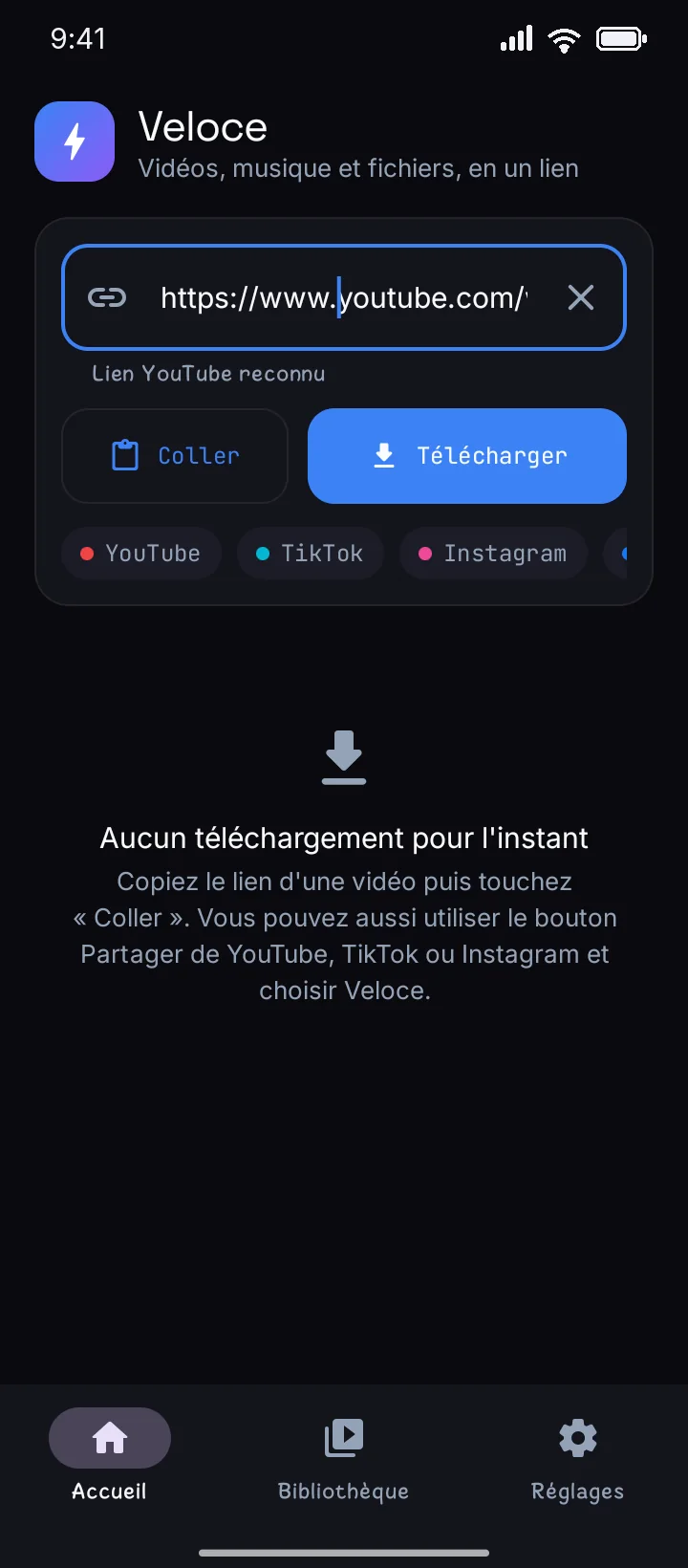
Paste the link
Copy a video's link and tap “Paste”. Or simpler: in YouTube, TikTok or Instagram, tap Share and pick Veloce.
-
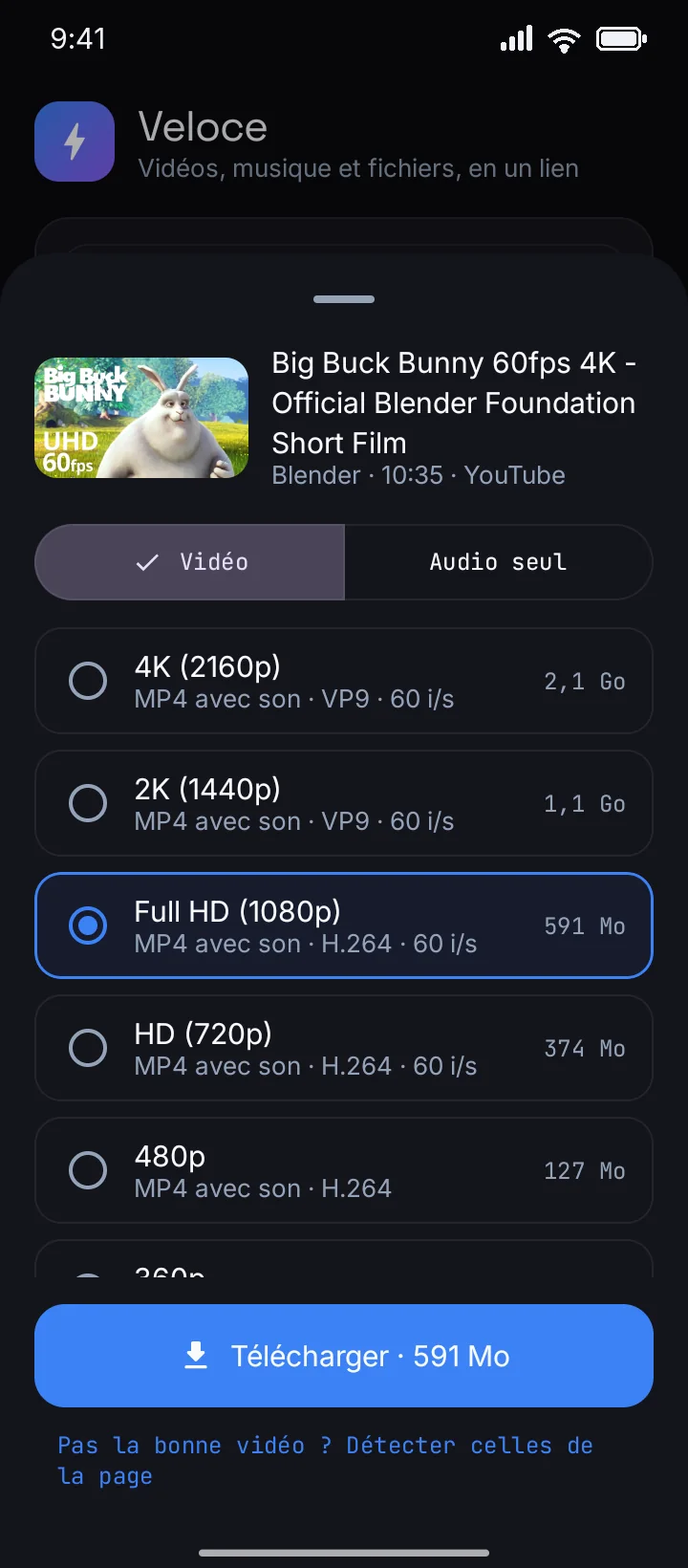
Pick the quality
Veloce lists every quality available, from 144p to 4K, with the exact size of each file. For music, switch to “Audio only”.
-
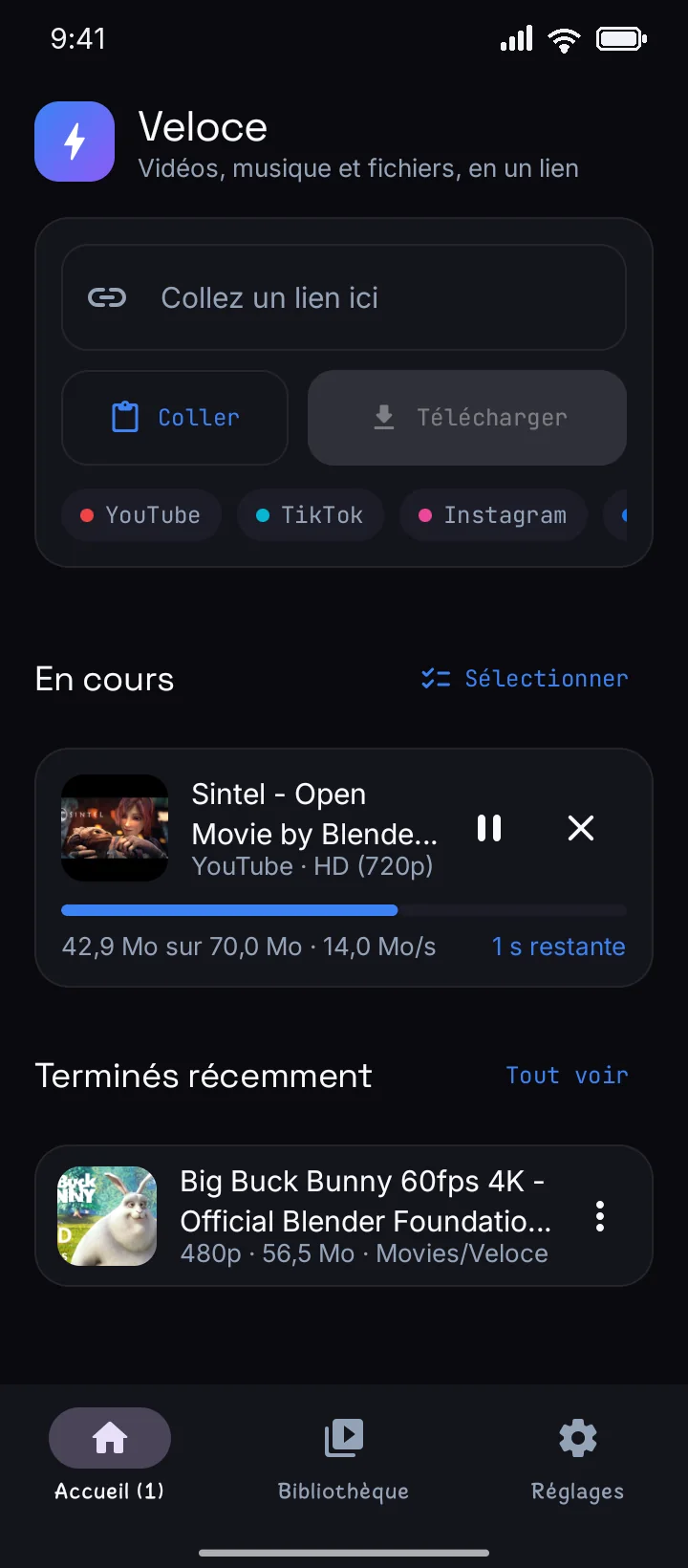
Veloce downloads in parts
The file is split into parts downloaded at the same time, then put back together. On this screenshot: 42.9 MB of 70 MB, at 14 MB/s. You can close the app, the download goes on.
-
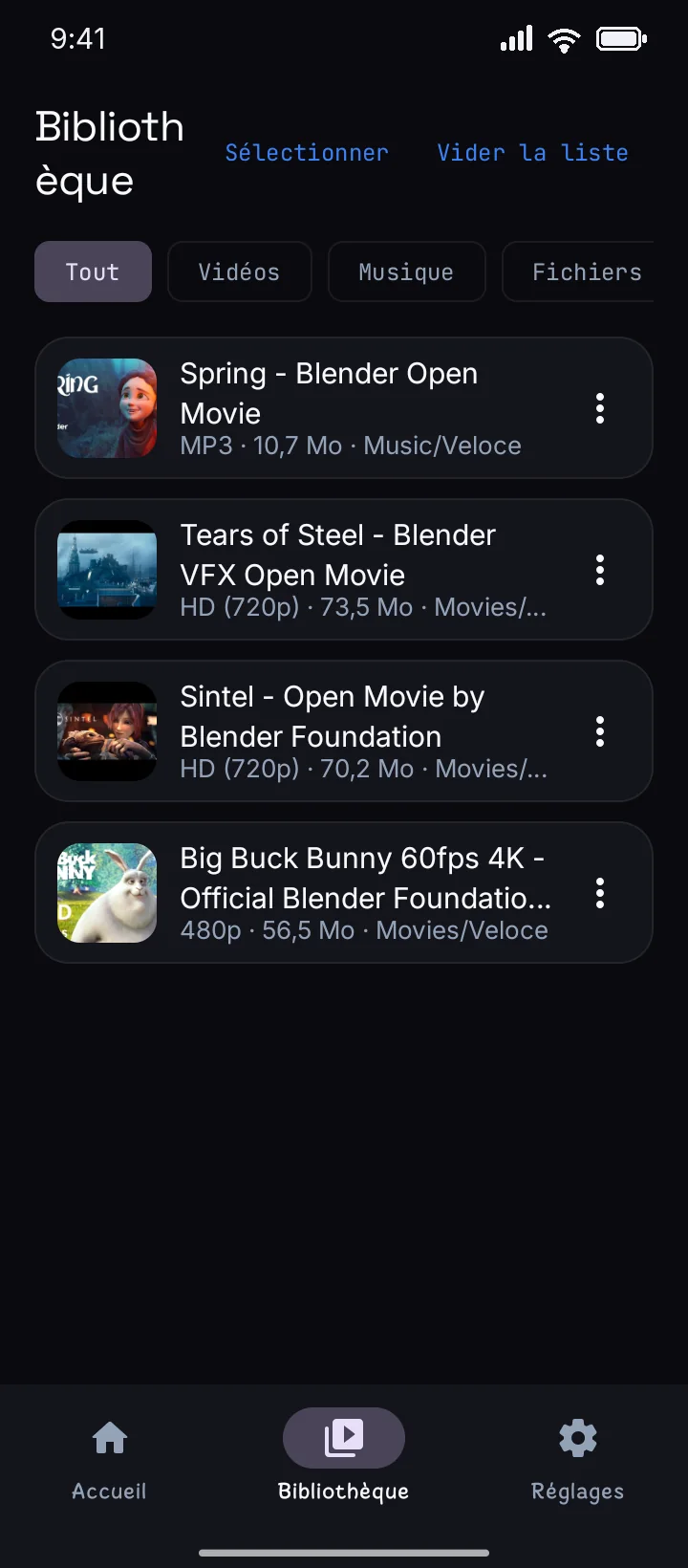
Find it in your gallery
Videos arrive in the Veloce album of your gallery, music in Music/Veloce. Nothing to export, nothing to convert.
What Veloce can do.
Follow a channel, its videos arrive by themselves
Paste the link of a YouTube channel or a TikTok account, then tap “Follow this channel”. Veloce checks every 30 minutes and each time you open it, then downloads the new videos, or offers them to you if you prefer to choose. Older videos are not fetched.
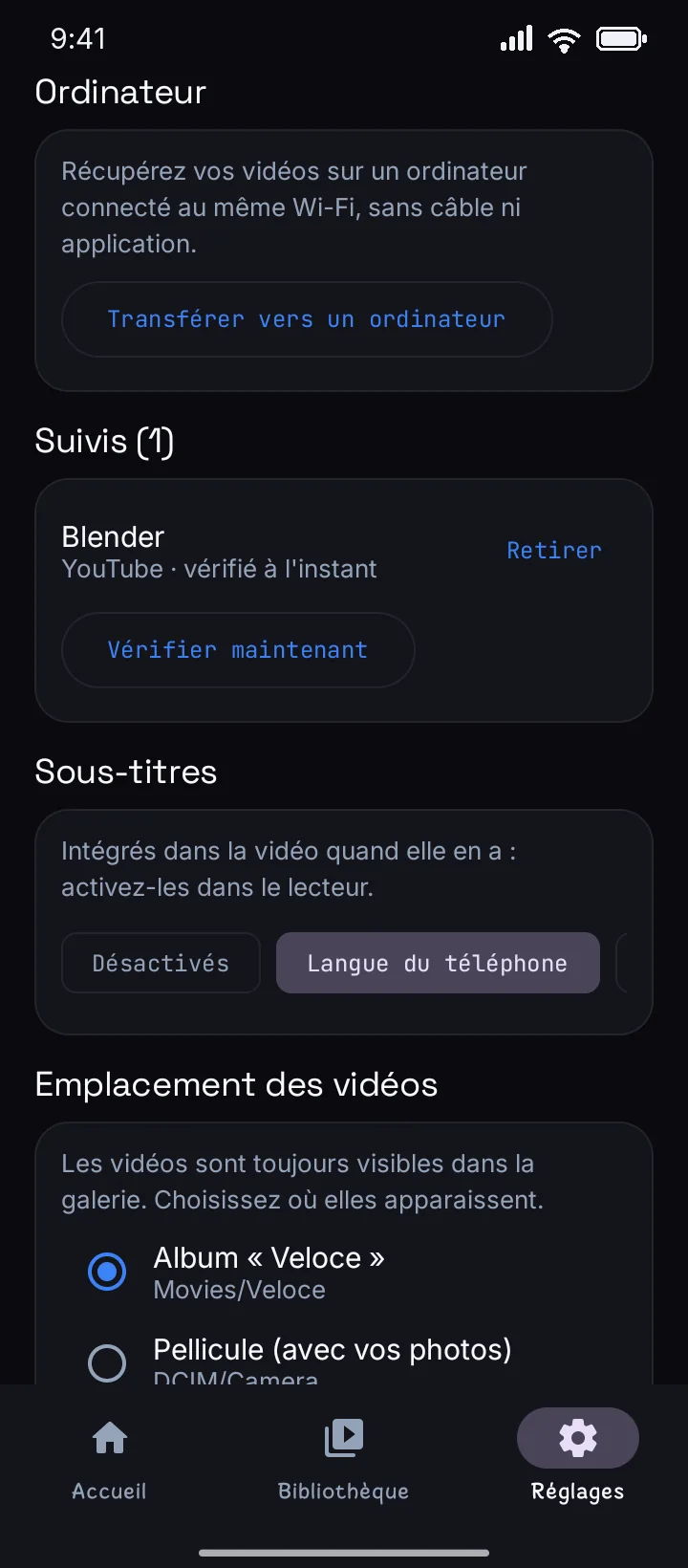
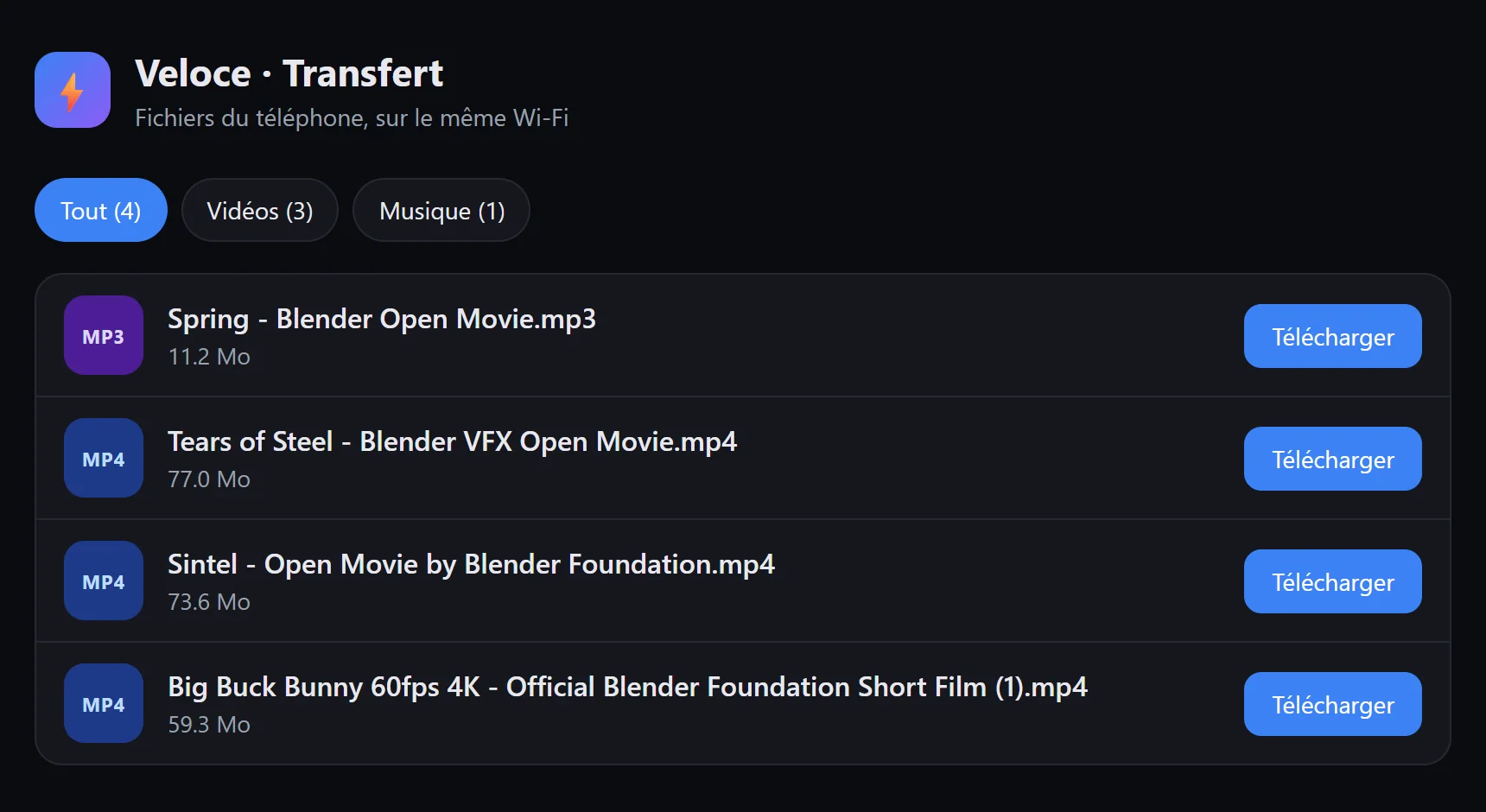
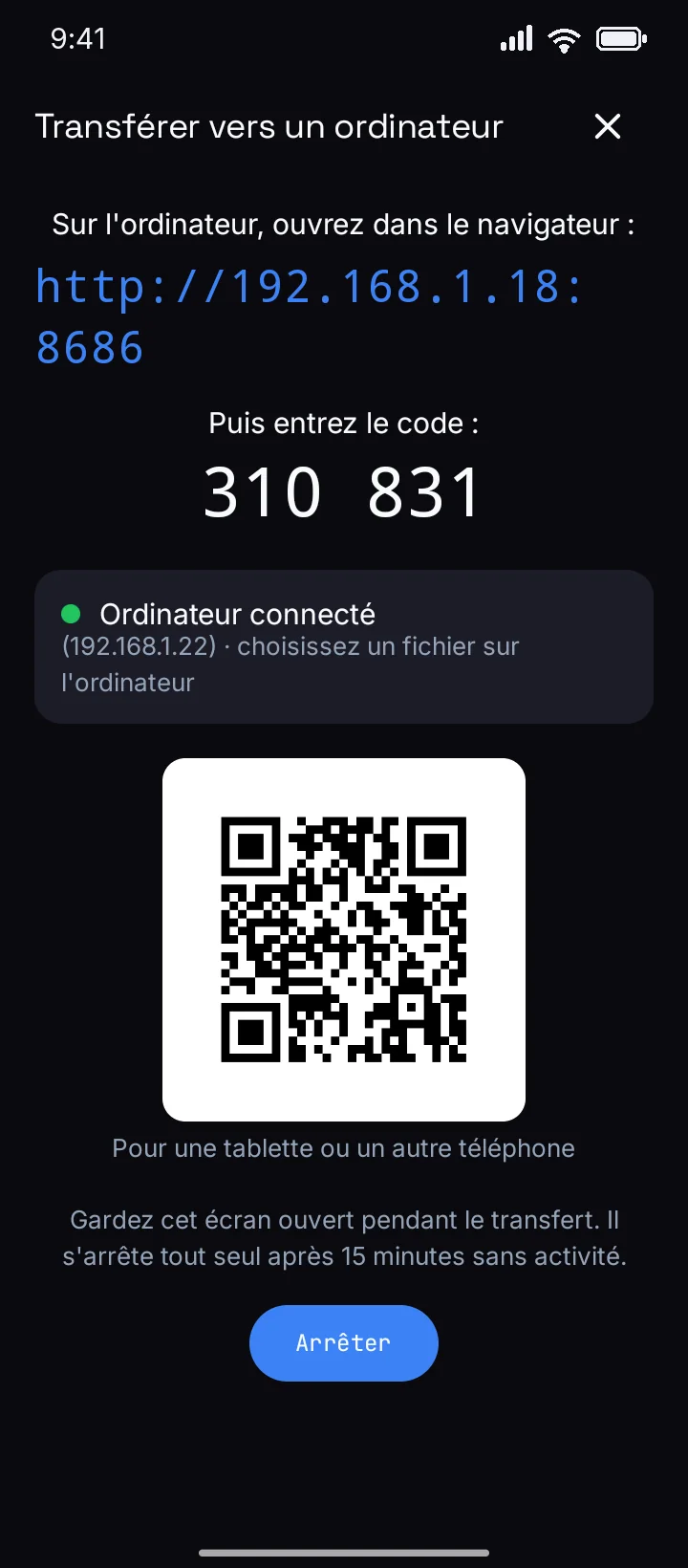
Your files on the computer, with no cable
On the same Wi-Fi, open the address Veloce shows in the computer's browser, enter the 6-digit code, and download. No software to install. The transfer stops by itself after 15 minutes without activity.
Up to 4K
YouTube, TikTok, Instagram, Facebook, X, Vimeo and more than 1,000 other sites. You see the qualities the platform offers, not a made-up list.
Whole playlists
Paste a YouTube playlist link: all its videos download, four at a time, with a single notification at the end.
Music in MP3 or M4A
MP3 with its cover art, plays everywhere, or M4A in the original quality, with no re-encoding.
Torrents and magnet links
Open a .torrent file or a magnet link: Veloce downloads it like the rest.
Built-in subtitles
In the phone's language, in French or in English, when the video has some. You turn them on in the player.
Already downloaded?
Veloce tells you when a link is already in your library, and opens the file for you.
Other sites
Open the page in Veloce and play the video: it shows up, ready to download.
Resumes after a cut
Network lost, phone asleep: the download picks up where it stopped.
Wi-Fi only
An option holds downloads while you are on mobile data.
Free, no account, no forced ads.
Veloce never shows you an ad without your consent. No banner, no video at launch.
Always, with nothing to do
- Videos up to 480p
- Music in MP3 and M4A
- Torrents and files, with no limit
- Follows, sending to a computer, subtitles
HD, whenever you want it
Watch a short sponsored video and every quality from 720p to 4K is unlocked for 6 hours. You decide when.
Why you can install it.
Veloce is not on the Play Store. Here is what protects it, and how to check it yourself.
-
One official source: this site
Every APK published here is signed with its author's key, yantech2.0. Nobody else can produce this signature.
-
A modified copy refuses to start
If someone removes the protections or adds code, then signs the APK again, Veloce detects it at launch and stops with a warning.
-
Verified updates
New versions arrive in the app. Before installing, Veloce checks that they really come from this site and from the author's key.
-
Nothing leaves your phone
No account. Your links, your history and your files stay on the device. The ads, which you choose to watch, come from an advertising partner.
-
This site does not track you
No audience measurement, no font loaded from a third party. Ads only show with your consent, in a frame kept apart from the page.
Check your APK
- SHA-256 fingerprint of the file veloce-3.3.3.apk
7bfc9e449231248ab88cdc22eb03043cf5d47091289311681d710e7481a49dc7- SHA-256 fingerprint of the signing certificate
2E:9D:02:48:A2:D8:65:33:5D:83:14:83:39:28:8D:1B:69:B3:47:80:1F:CE:FE:38:9B:DF:D8:CD:75:0A:B4:84
How to compare the file's fingerprint
On a Windows computer, in the file's folder: certutil -hashfile veloce-3.3.3.apk SHA256. On Mac or Linux: shasum -a 256 veloce-3.3.3.apk. The result must be identical, character for character.
Install Veloce in 4 steps.
To do from your Android phone (version 7 or later). It takes a minute.
-
Download the APK
The file is 107 MB. Your browser may ask for confirmation: tap “Download anyway”.
Download the APK -
Open the file
Tap the notification at the end of the download, or open it from the Files app, Downloads folder.
-
Allow the installation
The first time, Android asks you to allow your browser to install apps. Tap “Settings”, turn the option on, then go back.
-
Tap “Install”
If Play Protect shows “Unknown app”, it is the usual message for an app from outside the Play Store: tap “More details”, then “Install anyway”.
Once Veloce is installed, you can remove the permission given to the browser. Updates will arrive inside Veloce.
Frequently asked questions.
Why isn't Veloce on the Play Store?
Google does not accept apps that download YouTube videos on the Play Store. Veloce is therefore distributed directly, from this site only.
Is it really free?
Yes. Videos up to 480p, music and torrents are free with no ads at all. HD unlocks for 6 hours in exchange for a short sponsored video, only if you choose to.
Am I allowed to download videos?
Veloce is a tool, like a video recorder. You may download what you have the right to copy: your own videos, royalty-free content, or a copy for your private use where the law allows it. Anything else is forbidden, and you are responsible for it. The details are in the terms of use.
Does it work on iPhone?
No. Veloce is made for Android, version 7 or later.
Where are my files?
Videos are in the “Veloce” album of the gallery (Movies/Veloce), or in the camera roll if you choose so in the settings. Music goes to Music/Veloce, other files to Download/Veloce.
Can I download a whole YouTube playlist?
Yes. Paste the playlist's link: Veloce lists its videos, you untick the ones you don't want, pick one quality for all, and they download four at a time.
A link no longer works, what can I do?
Platforms change often. Veloce updates its engine by itself, but you can do it right away in Settings, “Download engine”, then try again. Private, paid or protected videos cannot be downloaded.
How do I update Veloce?
You have nothing to do: when a new version comes out, Veloce offers it to you. The update is checked before it is installed.
Does Veloce collect my data?
No. The author receives nothing: not your links, not your history, not your files. Only the advertising network, when you watch a sponsored video, processes technical data under its own policy. See the privacy page.